Docker vs Kubernetes Explained Simply: The Tiffin Box and the Dabbawalas
Docker packs your app into a container; Kubernetes runs and manages lots of them. A plain-English explainer with an Indian analogy, examples and how to start free.
 Abheek··7 min read·
Key takeaways
- Docker packs an app and everything it needs into a container, so it runs the same on any computer. Kubernetes runs and manages lots of containers across many machines.
- It's not Docker or Kubernetes. Most teams use both: Docker (or a similar tool) to build containers, Kubernetes to run them at scale.
- Learn Docker first. Only reach for Kubernetes when you have many containers, need automatic scaling, or need apps to survive server failures.
“It works on my machine!” might be the most famous excuse in software. Your app runs perfectly on your laptop, then breaks on a friend’s laptop or on the server because a version or a setting is different.
Docker fixes that problem. Kubernetes solves the next one: what to do when you have hundreds of these apps running for millions of users. Here’s the simplest explanation we could write, plus what’s worth learning first.
The one-line answer
- Docker packs your app and everything it needs into a box called a container, so it runs the same everywhere.
- Kubernetes (often written K8s) is the manager that runs lots of those containers across many computers, restarts them if they crash, and adds more when traffic jumps.
They aren’t rivals. Docker builds and runs the boxes; Kubernetes runs a whole fleet of them.
The Indian analogy: tiffin boxes and dabbawalas
Docker is the tiffin box. Everything for one meal goes in: dal, rice, sabzi, roti, the pickle. It doesn’t matter whose desk it lands on, the meal inside is exactly the same. A container works the same way. Your code, the right version of Python or Node, the libraries and the settings all travel together, so it works the same on any laptop, server or cloud.
Kubernetes is the dabbawala network. One tiffin is easy to carry yourself. Delivering 2 lakh tiffins across Mumbai every day needs a system: who carries which box, which train, what happens if a carrier is sick, and how to handle the Monday rush. Kubernetes is that system for containers. It decides which server each container runs on, swaps in a new one when one fails, and adds more copies when traffic goes up.
Docker in 60 seconds
Three words to know:
- Dockerfile: a short recipe that says what goes in the box.
- Image: the packed box, ready to ship. You can share it through a registry such as Docker Hub.
- Container: the box opened and running.
A tiny Dockerfile for a Python app looks like this:
FROM python:3.12-slim
WORKDIR /app
COPY . .
RUN pip install -r requirements.txt
CMD ["python", "app.py"]
Then docker build -t myapp . packs it, and docker run myapp runs it. Anyone with Docker gets exactly the same result.
Why containers beat “install it yourself”: they start in seconds, use far less memory than a full virtual machine, and keep each app’s dependencies separate, so two apps that need different versions of the same library don’t clash.
Kubernetes in 60 seconds
Kubernetes doesn’t build containers. It runs them, across a group of machines called a cluster. You describe what you want, and it keeps making it true:
# "Always keep 3 copies of my app running"
apiVersion: apps/v1
kind: Deployment
metadata:
  name: myapp
spec:
  replicas: 3
  selector:
    matchLabels: { app: myapp }
  template:
    metadata:
      labels: { app: myapp }
    spec:
      containers:
        - name: myapp
          image: myapp:1.0
If a server dies and takes one copy with it, Kubernetes notices only 2 are running and starts a third somewhere else, without anyone waking up at 3 a.m. That’s its superpower: self-healing. It also gives you:
- Scaling: more copies when traffic spikes, fewer when it’s quiet.
- Rolling updates: new versions go out a few copies at a time, and it can roll back if something breaks.
- Load balancing: visitors are spread across all the copies.
Kubernetes started at Google, was open-sourced in 2014 and is now looked after by the Cloud Native Computing Foundation (CNCF). A new version comes out roughly three times a year; v1.36 arrived in April 2026.
Docker vs Kubernetes side by side
| Docker | Kubernetes | |
|---|---|---|
| What it does | Packs and runs containers | Runs and manages many containers across many machines |
| Analogy | The tiffin box | The dabbawala network |
| Scale | One computer | A cluster of many computers |
| If a container crashes | It stays down unless you set a restart rule | Replaced automatically |
| Learning curve | A weekend | Weeks to months |
| Good for | Development, small apps, packaging anything | Big apps, many services, high traffic, AI workloads |
Which one do you actually need?
Just Docker (or no containers at all) if you have one app on one server, a college project or a small business site. Our own site, techprana.org, runs on a single cloud server with no Kubernetes. That’s the right call for a site this size.
Kubernetes if you have many services (login, payments, search, notifications…), traffic that rises and falls a lot, or an app that must keep running even when a server fails. That covers most large companies. In the CNCF’s 2026 survey, 82% of organisations that use containers run Kubernetes in production, up from 66% in 2023. And 66% of organisations that host generative AI models use it to run some or all of their AI inference.
One common mix-up: Kubernetes stopped using Docker’s own engine internally in 2022 (version 1.24). Images you build with Docker still run on Kubernetes, because both follow the same open container standard.
How to start learning, free
- Install Docker Desktop. It’s free for personal use, students and teachers, open-source projects and small businesses (fewer than 250 employees and under $10 million in revenue). Bigger companies need a paid plan.
- Containerise something you already have. A Python script, a Node app, even a static website. Write the Dockerfile yourself first, then ask an AI to review it.
- Learn Docker Compose to run two or three containers together, for example an app plus a database.
- Then try Kubernetes on your laptop with minikube or kind, or switch on the Kubernetes option built into Docker Desktop. The official “Hello Minikube” tutorial takes about an hour.
- Learn
kubectl, the command-line tool, and three ideas: Pod, Deployment and Service.
Tip: AI coding tools write Dockerfiles and Kubernetes files well, but check them. Don’t put passwords or API keys inside an image, and don’t run containers as the “root” admin user unless you have to. Both are common mistakes in AI-written files. We explain why AI-written code needs a human check in Vibe coding: can anyone build apps now?
Why this matters for your career
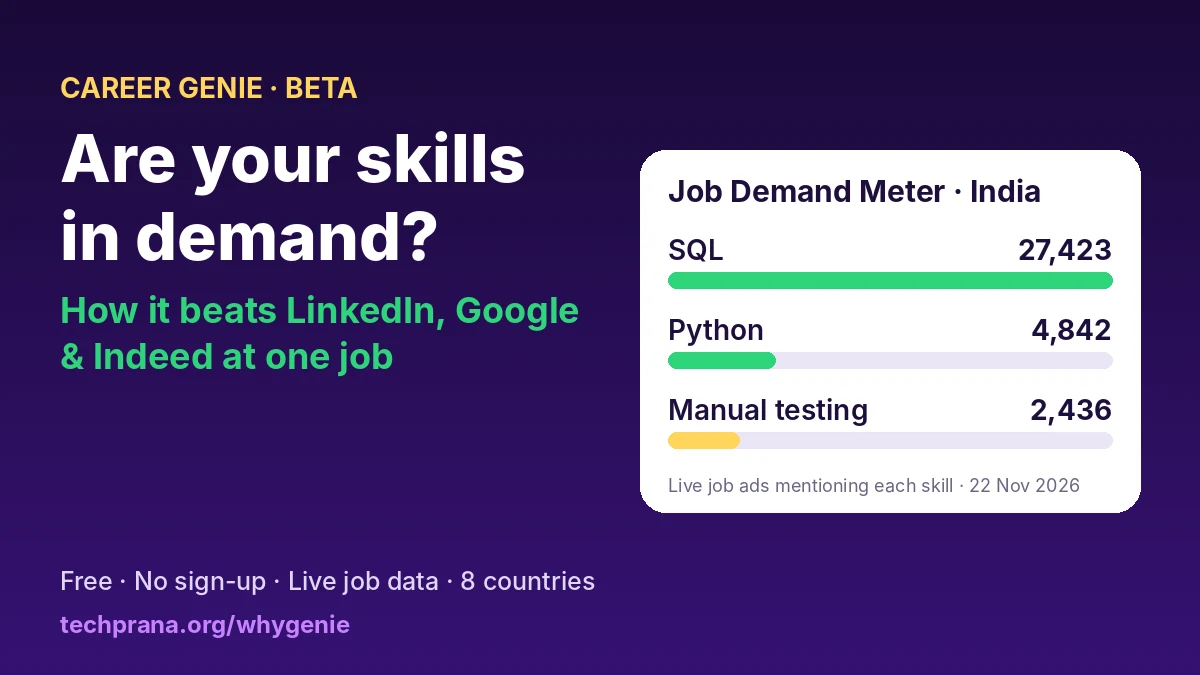
Docker and Kubernetes appear in almost every DevOps, cloud and backend job description, and more and more in data and AI roles too, because AI models are now served from containers. If you’re aiming for a cloud or DevOps job, Docker is the first tool to learn, followed by Linux basics, Git and one cloud platform (AWS, Azure or Google Cloud). See how much demand there is for these skills where you live with Career Genie.
Sources
- Docker Docs: Docker Desktop license agreement
- CNCF: Annual Cloud Native Survey – 82% of container users run Kubernetes in production (Jan 2026)
- Kubernetes Blog: Kubernetes v1.36 release (Apr 2026)
- Kubernetes Docs: Overview – what Kubernetes is and isn't
- Kubernetes Docs: Hello Minikube tutorial
- Docker Docs: Get started