
MacBook Air M3 (13-inch) Long-Term Review: 18 Months Later, One Big Lesson
My honest MacBook Air M3 review after ~18 months of video editing, coding and Office work: battery health, 16 GB of RAM, and why 256 GB was a mistake.
 Abheek··6 min read
Key takeaways
- After about 18 months, my 13-inch MacBook Air M3 (16 GB RAM, 256 GB) still handles video editing, coding, Office and video calls.
- Battery health is at 91% after just 67 charge cycles – it lives on my desk, plugged in, most of the time.
- The one real problem: 256 GB of storage. I'm down to about 6 GB free. If you edit video, buy at least 512 GB.
Most laptop reviews are written after a week. This one isn’t. My 13-inch MacBook Air M3 was a gift from my wife, bought directly from Apple’s website in early 2025, and it’s been my main computer for about 18 months: writing, coding, Office work, video calls and editing the videos for TheTechPrana.
Here’s how it’s held up – including the one decision I’d change.
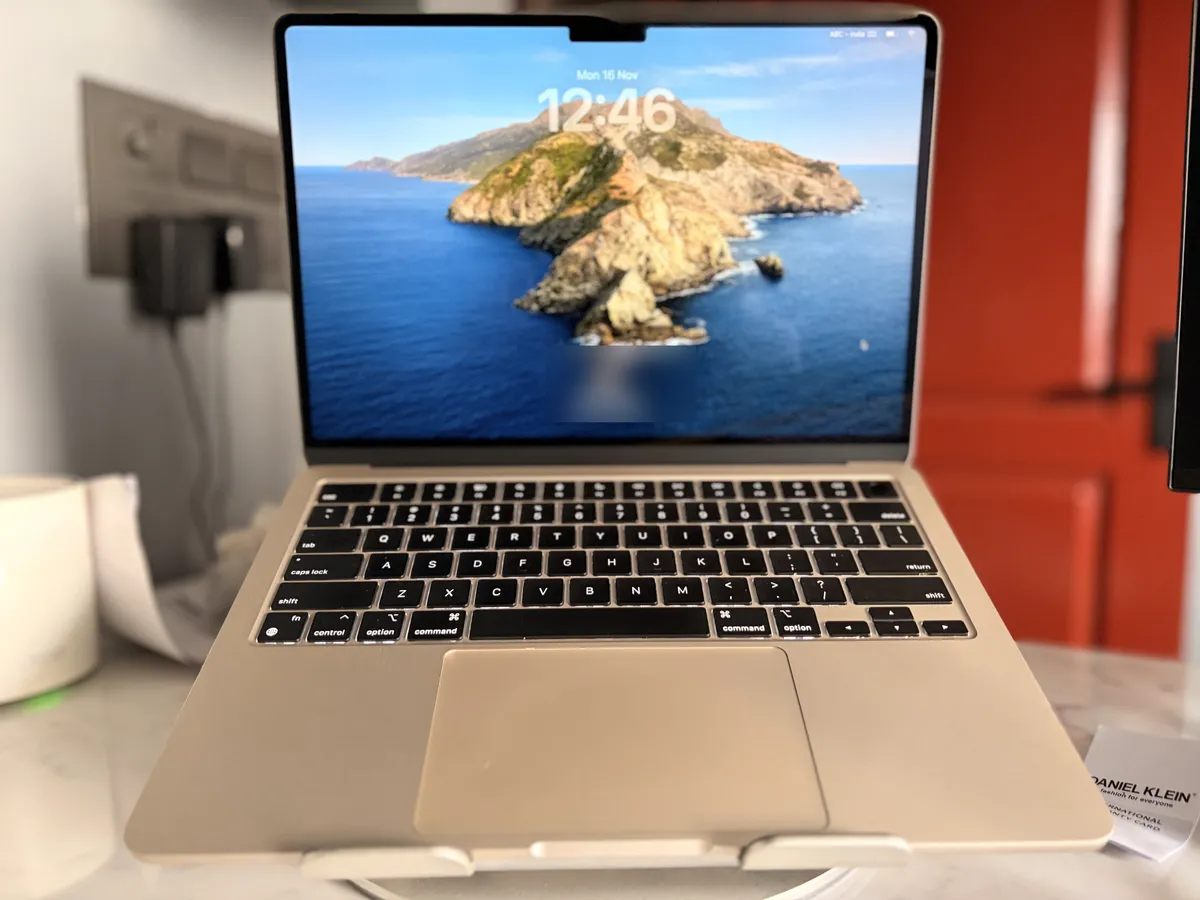 My MacBook Air M3 on my desk, November 2026.
My setup
| Model | MacBook Air 13-inch, Apple M3 |
| Memory (RAM) | 16 GB |
| Storage | 256 GB |
| Bought | Early 2025, apple.com (a gift from my wife) |
| Used for | Video editing (in Canva), coding, browsing, Office, video calls (no gaming) |
| Replaced | A Lenovo Windows laptop |
Verdict at a glance
Still a great everyday laptop – but buy more storage than you think you need. The M3 Air handles everything I throw at it day to day. The 16 GB of memory was the right call. The 256 GB of storage was not.
What I use it for
This isn’t a “browsing and email” machine for me. On a normal week it handles:
- Editing videos for TheTechPrana channel – I edit in Canva
- Coding and running developer tools
- Office work – documents, spreadsheets, presentations
- Video calls
- The usual heavy browsing, with lots of tabs
I don’t game on it, so I can’t speak to that.
Moving from Windows (Lenovo)
On paper, my old Lenovo didn’t look weak: it had 12 GB of RAM and a dedicated graphics card. But it stored everything on a hard disk drive (HDD), not an SSD – and that made it terribly slow. Booting, opening apps, loading files: everything waited on the disk.
The Mac has never felt like that. The lesson I took from the switch: storage speed matters as much as RAM or graphics for how fast a laptop feels day to day. Would I go back to that Lenovo? No.
Heat and fan noise
The MacBook Air has no fan, so it’s completely silent. In my use – including editing videos – it rarely gets warm.
The battery: 91% after 18 months
I checked the numbers on my own machine:
- Charge cycles: 67
- Maximum capacity: 91%
- Condition: Normal
67 cycles in about 18 months is very low. That’s because my Air spends most of its life plugged in on a desk, on a laptop stand next to an external monitor. Even so, it has lost about 9% of its original capacity – a reminder that batteries age with time and heat, not just with cycles. It’s still rated “Normal” by macOS; Apple says Mac notebook batteries are designed to keep up to 80% of their original capacity at 1,000 cycles.
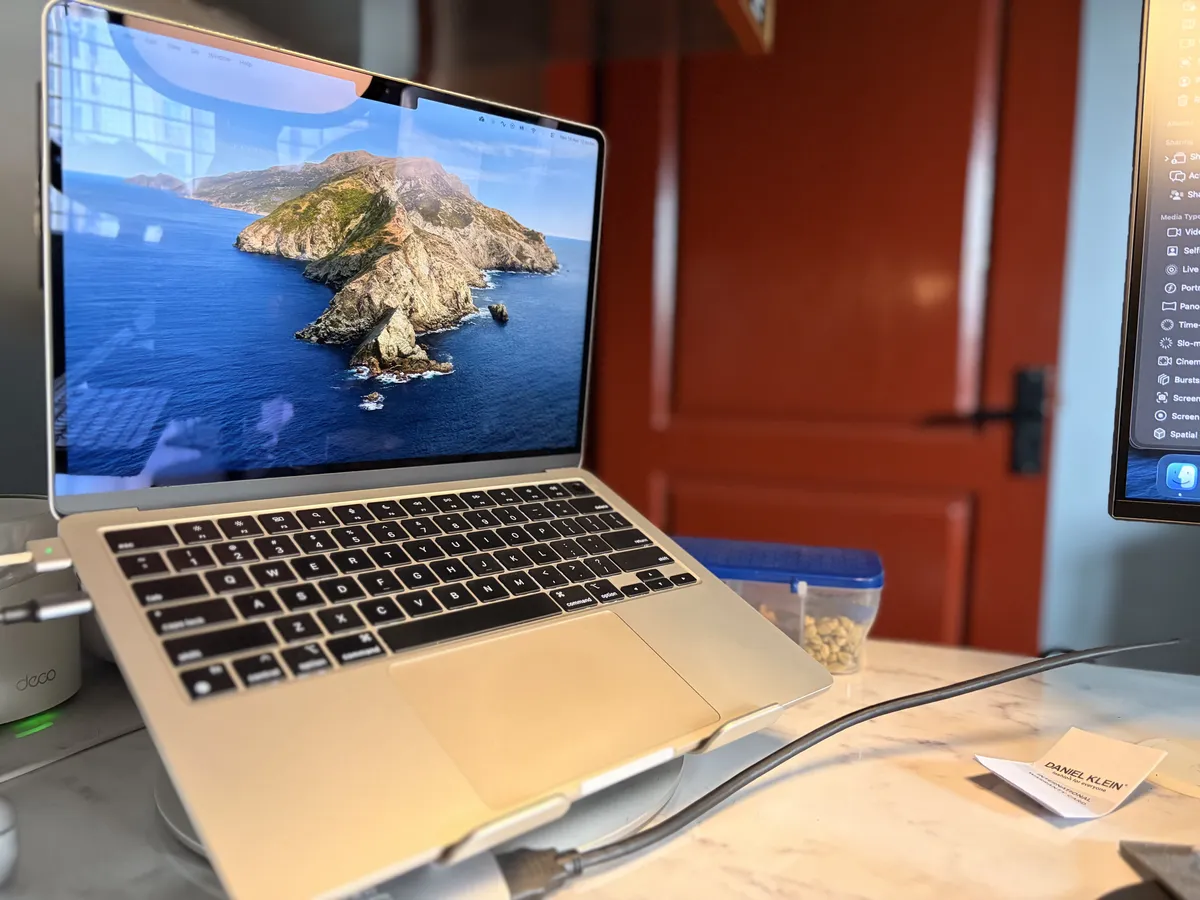 Where it lives most days: on a stand, plugged in.
Tip: you can check yours under Apple menu → System Settings → Battery → ⓘ next to Battery Health, or in System Information → Power.
16 GB of RAM: the right choice
Apple’s base models used to start with 8 GB. I went for 16 GB, and with video editing, coding tools and a browser full of tabs running together, I’m glad I did. If you do anything beyond basic tasks, 16 GB is the sensible minimum.
The big lesson: 256 GB is not enough
This is the honest part. My Air has 256 GB of storage, and I’m down to roughly 6 GB free. For someone who edits video, that’s a real, ongoing problem – video files are big, exports need room, and macOS updates need free space too.
I’m now planning to add an external SSD to keep video projects off the internal drive. That works, but it’s one more thing to carry and plug in – and Mac storage can’t be upgraded later, so the choice you make at checkout is permanent.
If you edit video, take photos or keep large files: get at least 512 GB.
Should you buy a MacBook Air M3 today?
The M3 has since been replaced. Apple launched the MacBook Air with M5 in March 2026, and the good news for anyone reading this review is that Apple doubled the starting storage to 512 GB. At launch, the 13-inch M5 model started at ₹1,19,900 in India (16 GB RAM, 512 GB storage). Prices change, so check the current price before buying.
- Buying new? The M5 Air’s 512 GB starting storage fixes the biggest problem I had.
- Found an M3 Air at a big discount? It’s still very capable – just make sure it has 16 GB of RAM and at least 512 GB of storage.
- Already own a 256 GB Air like me? An external SSD is the practical fix.
Pros and cons
What I like
- Handles video editing, coding and Office work as my main computer
- 16 GB of RAM copes with lots running at once
- Battery health still “Normal” after 18 months
- Silent, fanless design that rarely gets warm
What I’d change
- 256 GB of storage fills up fast if you edit video
- Storage can’t be upgraded later
- Battery has lost ~9% capacity despite low cycle count
Who it’s for
- Great for: students, office work, coding, writing, and light-to-moderate video editing
- Think twice if: you edit a lot of video and plan to buy the base storage
Photos: my own MacBook Air M3. Last updated: 17 November 2026. This laptop was a gift from my wife – not from Apple or any brand. This review isn’t sponsored.
Your turn: how’s your MacBook storage holding up? Tell me through the contact page – I read every message.